Why Digital Menu Boards Work for Restaurants and Cafes
Learn why digital menu boards work for restaurants and cafes, including menu updates, daypart scheduling, promotions, multi-screen coordination, and offline resilience.
Published July 5, 2026
By Vuubl Team
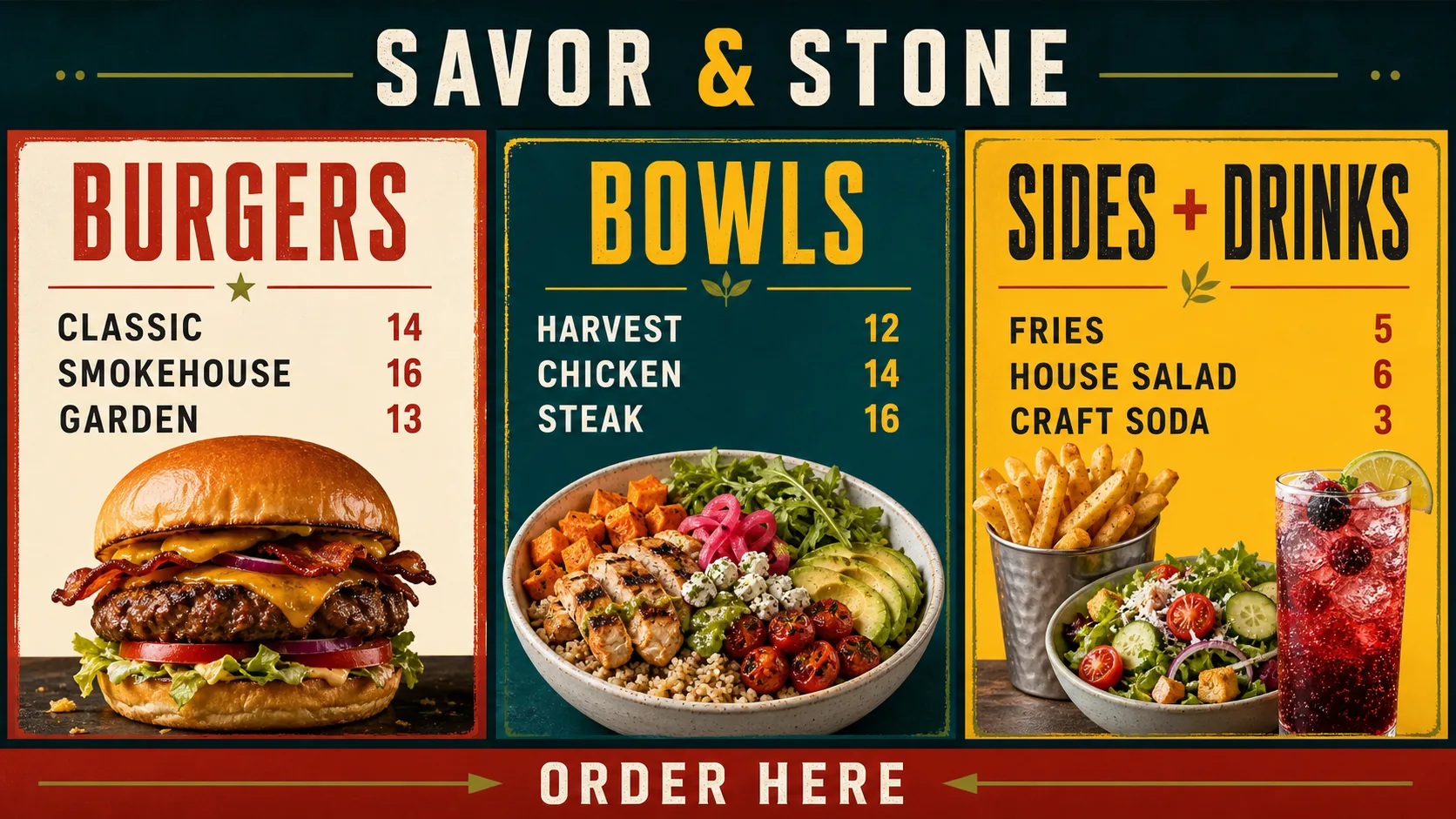
Digital menu boards work for restaurants and cafés when they make important information easier to keep accurate, easier to read, and easier to change. A restaurant can update a price, switch from breakfast to lunch, promote a limited-time offer, or remove a sold-out item without rebuilding every printed sign.
That does not mean every screen automatically improves a restaurant. A crowded layout, unreadable type, outdated price, or poorly timed promotion can make ordering harder. The value comes from combining a focused design with a dependable operating process.
This guide explains the practical reasons digital menu boards work, what makes them effective, and how a restaurant can set up a system that staff will actually use.
Why digital menu boards work for restaurants and cafés
1. They make menu information easier to keep current
Restaurants change more than the printed menu suggests. Prices move, ingredients run out, hours shift, and limited-time offers need an end date. With a digital menu board, the team can prepare updated content and publish it to the affected screen without reprinting an entire set of boards.
The benefit is not simply speed. It is control. A clear publishing workflow makes it easier to identify who owns menu accuracy, which version is approved, and where the updated content should appear. That is especially useful when a restaurant has multiple screens or locations.
2. They match the menu to the service daypart
Breakfast, lunch, dinner, happy hour, and late-night service often have different items, prices, and priorities. A digital menu board can schedule those changes so the screen shows the right content at the right time.
Scheduling is only useful when it reflects the real operation. Confirm the restaurant timezone, kitchen availability, weekend hours, holiday exceptions, and the default menu that should display outside a scheduled period. The schedule should support staff and guests, not create another source of incorrect information.
3. They give each screen a clear job
Multiple displays are more useful when they work as a coordinated system. Instead of shrinking the entire menu onto every screen, assign each display a purpose:
- Screen one: core dishes or the primary menu
- Screen two: combinations, sides, drinks, or desserts
- Screen three: limited-time offers, pickup instructions, or announcements
Each screen should still make sense on its own. Do not place an item name on one display and its price on another, and do not make a customer wait for a rotating slide to understand a basic choice. Keep critical information within one screen so an offline or restarting display does not make the rest of the menu confusing.
4. They can make the menu easier to scan
Digital does not automatically mean readable. A strong digital menu board uses a clear hierarchy so guests can find categories, item names, descriptions, modifiers, and prices without searching.
Use consistent category headings, predictable price placement, strong contrast, and enough space between groups. Limit the number of type styles and avoid thin text over busy photography. Animation can draw attention to a special, but constant motion makes prices and item names harder to compare.
Test the design at the actual viewing distance. A menu that looks polished on a laptop may be too small or dense on a wall-mounted display. Ask someone unfamiliar with the design to find several items and prices without help. Their questions usually reveal more than another design review on a desktop monitor.
5. They make promotions easier to manage
Restaurants often need to feature a new combination, seasonal item, drink special, loyalty offer, or add-on without replacing the complete menu. A digital menu board lets the team prepare focused promotional content and schedule when it appears.
The promotion still needs a clear job. Show the item, price or offer terms, and the next step. Use a small number of featured messages so the primary menu remains easy to scan. Give every promotion an expiration date or scheduled end so old offers do not remain on screen.
6. They reduce the friction of routine updates
Printed signage creates a physical update task: find the right file, print it, replace the old version, and check every location. Digital signage moves that work into a content workflow that can be reviewed and repeated.
A good workflow includes approved templates, a named owner for prices and hours, a quick review before publishing, and a short checklist for checking the physical screens. Remote management is most useful when it is paired with clear responsibility. A faster update is not helpful if no one knows whether the new price is correct.
7. They can keep showing synchronized content during interruptions
A restaurant screen should not become blank because the network briefly drops. Depending on the player and content format, previously synchronized content may continue playing while the device is temporarily offline. Test this behavior on the exact hardware, then document how staff should respond if a screen does not reconnect.
Offline behavior is a resilience feature, not a replacement for monitoring. Check screen status, confirm that important updates have reached the player, and keep a simple fallback process for power, player, or display issues.
What makes a digital menu board effective?
The strongest systems share four traits:
- Accurate — Prices, hours, item availability, and promotions are reviewed before publishing.
- Readable — Guests can scan the essential information from the normal queue or ordering position.
- Relevant — The content reflects the current daypart, location, menu, and business priority.
- Maintainable — Staff know who owns updates and can make changes without a complicated procedure.
If one of these is missing, adding more slides or more animation usually makes the problem worse. Start with the everyday menu and improve the workflow before adding advanced layouts.
Restaurant examples
A café that changes from breakfast to lunch
A café can use a morning playlist for coffee, pastries, and breakfast combinations, then schedule a lunch playlist with sandwiches, bowls, and afternoon drinks. The team can prepare the content before service and set the transition around the actual kitchen changeover. A default menu can cover the period before opening or after the scheduled dayparts.
A quick-service restaurant with three screens
The first screen can carry the primary menu, the second can handle combinations and drinks, and the third can feature a limited-time offer or pickup instructions. Shared type, spacing, and color rules make the screens feel like one system while keeping each display focused.
A small restaurant with one screen
One screen can still be valuable when the menu changes regularly. Use a layout that gives the core items and prices most of the space, then reserve a smaller area for one promotion or announcement. A single screen is also a useful pilot for testing hardware, content ownership, and update timing before expanding.
How to set up a digital menu board that works
- Define the screen’s job. Decide whether it is a primary menu, drinks board, promotion display, schedule, or customer-information screen.
- Choose the viewing position. Check distance, glare, height, queue direction, and accessibility before mounting the display.
- Verify the hardware. Test the exact display and player for startup, orientation, video playback, power recovery, and temporary network loss.
- Create a readable content system. Use consistent categories, item names, prices, spacing, and image treatment.
- Prepare schedules and alternates. Build daypart content, holiday exceptions, sold-out replacements, and a default menu.
- Publish to the right screen. Confirm location, orientation, playlist, and schedule before applying changes.
- Check the physical result. Review the menu from the guest’s viewpoint and correct anything that is too small, crowded, or inaccurate.
For a complete equipment, placement, design, and launch walkthrough, read How to Create a Restaurant Digital Menu Board. See how Vuubl works for the connection, content, scheduling, and publishing workflow.
What to measure after launch
You do not need to make an unsupported promise about revenue to evaluate a digital menu board. Start with operational and customer signals:
- How long it takes to update a price or remove a sold-out item
- How often a screen shows an old menu, expired promotion, or incorrect schedule
- Which menu questions guests still ask at the counter
- Whether staff can request and approve updates without confusion
- Whether a promotion performs differently when compared with a similar period or offer
- How quickly a screen recovers after a network, player, or power issue
Review the results during the first month. If guests miss the message, improve placement or hierarchy. If staff avoid updates, simplify the workflow. If a promotion cannot be evaluated, define the expected action and comparison before running the next version.
Common mistakes to avoid
- Treating the screen as a design project instead of an operating process
- Shrinking the menu to fit every category, image, and promotion on one slide
- Using motion or contrast that competes with item names and prices
- Scheduling a daypart without checking actual kitchen hours
- Showing a promotion without clear terms or an expiration date
- Splitting essential information across screen bezels
- Publishing changes without checking the physical display
- Assuming a generic smart-TV label guarantees player compatibility
The goal is not to make the screen constantly change. The goal is to make the right information available, readable, and maintainable.
Start with a menu your team can trust
Digital menu boards work best when the restaurant starts with accurate content, readable design, clear screen assignments, and a dependable update routine. Begin with one screen or one location, test it from the guest’s viewpoint, and expand only after the team can maintain it confidently.
Start your first Vuubl screen free for 30 days, with no credit card required.